Do you need to check your website security and its SSL certificate?
When you enter a website address as ‘www…’, your browser automatically sorts out the jumble of letters at the beginning, ‘http://…’.
Because of the increased need for security, website standards have been changed to reflect this.
Adding an SSL certificate to your site means any data sent from the web host to the browser remains encrypted. It will:
- Keep data secure
- Build trust in your website
- Encourage Google to show your site in search results
This is critical if you have an e-commerce site. Even if you do not, if you want your website to be found from keyword searches in a search engine such as Google, having an SSL certificate builds the trust needed for users to click on it.
If a search engine lists your site for a keyword and the browser shows the prefix [Not secure], your site is less likely to be clicked on than if it shows [Secure].
This is an example of a secure website name for our company, SIGAM:

Compared to a site that does not have an SSL certificate installed:

Have you ever wondered what ‘https://’ means compared to plain, old ‘http://’?
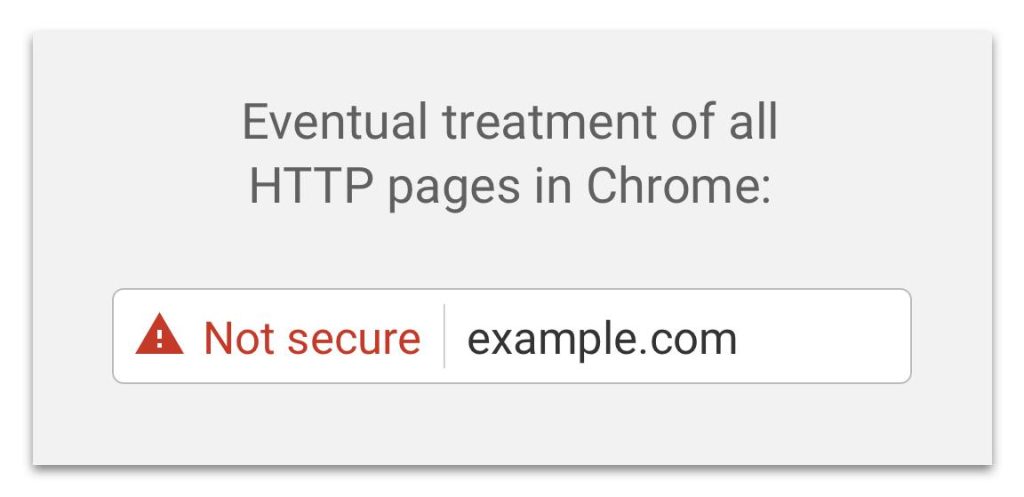
Without https, it will not always show, but browsers and search engines (Google, Bing, etc.) will point out pages where you are expected to enter data, such as forms, that are ‘Not secure’.
Google has advised that it will be expanding this to all sites, with the following warning symbols:

What does this mean?
SSL means ‘Secure Sockets Layer’. It is a certificate which forms part of the https protocol, which contains rules for sending and receiving data between your browser (what you see in Chrome, Firefox or Opera, etc.) and the server (the data centre where your provider holds your website code). SSL means information from a server is sent to your browser using encryption. Sites that use SSL safeguard your data better, and search engines will also rank them higher in their search results.
What can you do about it?
If you do not have an SSL certificate, we strongly advise you to get one. Contact your domain provider, the company where you purchased your website, or ourselves at SIGAM.
There are many sites that let you do this yourself — just search for ‘install SSL certificates’. Alternatively, we can help you get set up, simply and cost-effectively.
We will need admin access to your website, and we can then review your site information and advise the cost of updating. We will carry out tests to ensure it is fully operational before going live. Issues we have to consider include whether your site needs to redirect to or from a payment gateway or other critical website, which may have been hard-coded into your website.
The IT industry loves to confuse with its use of acronyms. If you have any questions, do not hesitate to contact us.
Email us on info@sigam.co.uk and someone from SIGAM will make contact to talk you through the necessary steps and advise what you need to do, if anything.